
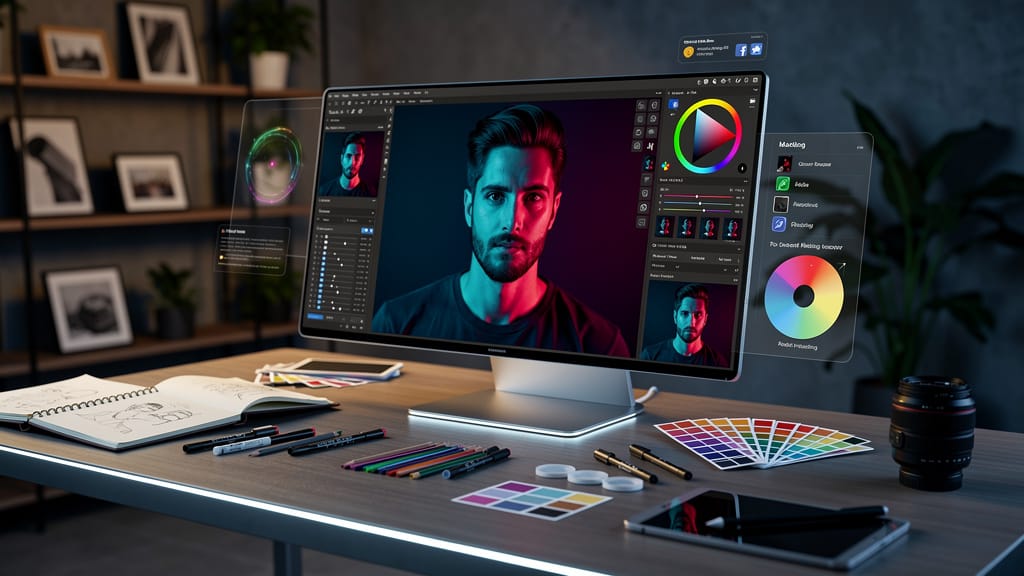
AI photo editing is no longer just about making a picture look better. It is rapidly turning into a system that can enhance, sort, interpret, and even caption your images before you decide what they mean.
Quick Summary
- Google is pushing AI deeper into everyday photo workflows, from Google Maps captions to Google Photos enhancements.
- The shift matters because ai photo editing is moving beyond retouching and into automated context, organization, and publishing.
- Google Maps can now suggest captions for user-uploaded place photos, which turns AI into a contributor, not just an editor.
- Google Photos’ Enhance features show the promise and limits of automatic fixes like cropping, relighting, and tonal adjustments.
- Users get speed and convenience, but also less control, more homogenized imagery, and new questions about authorship and accuracy.
- The next wave of photo ai editing will likely blend editing, metadata, recommendations, and posting into one seamless flow.
What Happened With Google Maps and AI Photo Editing
Google is expanding the role of AI in photos, but not in the way most people expect. Instead of stopping at image cleanup, it is now using AI to help users describe their pictures. Inside Google Maps, users sharing photos or videos about places can get AI-generated caption suggestions based on what the system detects in the image.
That may sound small, but it is a meaningful change. It pushes ai photo editing from visual enhancement into something broader, where software not only improves the image but also helps package it for public consumption.
At the same time, Google Photos is rolling out and refining AI Enhance tools that can crop, relight, and adjust shots automatically. Put those moves together, and you can see the strategy clearly, Google wants your photo workflow to start with capture and end with AI-assisted publishing.
Key Details on Google’s AI Photo Editing Push
The most important detail is that these tools are solving two different problems at once.
First, Google Maps is trying to make contributions easier. Many users are willing to snap photos of a restaurant, shop, or attraction, but fewer want to spend time writing useful captions. AI now fills that gap by analyzing images and proposing text that users can keep, edit, or delete. It is available in English on iOS in the U.S. first, with broader rollout planned.
Second, Google Photos is improving automated image enhancement. Reports from early testing show AI can make some pictures more usable by adjusting framing, brightness, and overall balance. But the results are inconsistent. Sometimes the image looks sharper and cleaner. Other times the AI guess feels arbitrary, especially when cropping changes the composition in ways the user did not intend.
Where ai photo editing is changing fastest
The real trend is not just “better edits.” It is automation of intent.
Traditional editing tools waited for a user command. New ai editing photo systems increasingly predict what you want before you ask. That includes:
- fixing exposure
- straightening or cropping
- highlighting likely best shots
- writing descriptions or captions
- surfacing images relevant to a place or event
This is why terms like ai powered photo editing app no longer describe only consumer editing software. The same underlying logic is now showing up in mapping, search, social posting, and personal archives.
Why Google’s version matters
Google has an advantage most rivals do not. It owns the layers around the image, storage in Photos, discovery in Search, context in Maps, and AI through Gemini. That means canva ai photo editing or other standalone creative tools may still be better for designed content, but Google is building something more pervasive, an assistant that follows the image across platforms.
That makes convenience the selling point, not artistry.
What AI Photo Editing Means for You Right Now
For regular users, this will save time. If you take photos at restaurants, tourist spots, hotels, or local businesses, AI can reduce the friction between taking a picture and posting something useful. The same applies to your personal library. A one-tap enhancement can rescue an otherwise forgettable image, especially in bad light.
But convenience has a cost. The more ai photo editing handles automatically, the more your images start to reflect the system’s preferences instead of your own. AI likes symmetry, clearer subjects, brighter scenes, and readable compositions. Human photography is often messier, and better for it.
Practical benefits of ai photo editing
If you are an everyday user, the upside is obvious:
- Faster uploads and less manual caption writing
- Better-looking casual photos without learning pro tools
- Easier sharing for reviews, travel logs, and local recommendations
- Less time hunting through galleries when apps surface “relevant” images automatically
This is especially attractive for people who have never touched Lightroom or Photoshop. It also raises pressure on every ai photo editing free app to offer more than just filters. Free tools now need to feel smart, not merely accessible.
The tradeoffs most users will notice later
There are at least three risks.
First, AI-generated captions can be wrong. A decent guess is not the same as a correct description, especially for crowded interiors, unusual dishes, or events where context matters.
Second, enhancement can flatten style. If every app crops toward the same center-weighted composition and boosts the same lighting patterns, photos begin to look algorithmically standardized.
Third, people may stop noticing the boundary between editing and authorship. That matters for reviews, travel content, and even creative ownership. We have already seen that tension emerge in debates around originality and attribution, which is why pieces like AI, Creativity, and Copyright: Who Owns What Now? are becoming more relevant, not less.
What Others Missed About Google’s Photo AI Editing Strategy
Most coverage treats these launches as isolated features. That misses the larger play.
Google is not simply adding smarter buttons. It is training users to accept AI as the default middle layer between camera and communication. You shoot the image, AI cleans it up, AI finds where it belongs, AI suggests what it says, then you approve.
That workflow has enormous implications because it changes who is “speaking” when a photo goes online.
AI photo editing is becoming publishing infrastructure
This is the hidden shift. We used to think of editing as a creative act performed before sharing. Now editing, sorting, and captioning are merging into one pipeline. In practical terms, that means the same system can influence:
- how your image looks
- which image you choose
- what text accompanies it
- where it gets shown
That is much bigger than a new Enhance button.
It also hints at where competition is headed. Tools like Canva helped popularize simplified design workflows, and canva ai photo editing has benefited from making complex tasks approachable. But Google’s approach is more ambient. It sits inside products people already use every day, which lowers resistance dramatically.
Why the business logic is smart
User-generated content is valuable. Better local photos improve Maps. Better captions improve searchability and engagement. Easier enhancements make users more likely to keep their memories inside Google’s ecosystem.
In other words, photo ai editing is not just a consumer feature. It is a data and retention strategy.
There is also a trust angle. People are often more comfortable with AI when it appears to “help” rather than replace. Caption suggestions and one-tap enhancements feel gentle. Over time, those small assists normalize deeper automation.
Real Examples of AI Editing Photo in Everyday Life
Imagine you visit a new café. You snap three dimly lit photos of a pastry case and one wide shot of the seating area. An AI system can brighten the image, straighten the framing, surface the best shot, and suggest a caption like “Cozy interior with a wide pastry selection.” That is useful, and for many users, good enough.
Now imagine the same scene from a photographer’s perspective. The low light may have been intentional. The off-center framing might have created mood. AI “fixes” can erase that character in seconds.
Another example is family travel. Google Photos can make a backlit vacation shot more usable without manual tweaking. That is a win. But if the crop cuts out environmental detail to favor faces, the image tells a narrower story than the original.
The effect extends to competing tools too. A casual user looking for an ai photo editing free solution might compare Google Photos, mobile editor apps, and browser-based platforms. A creator working on social posts might prefer canva ai photo editing for layouts and branded visuals, while someone who wants automated cleanup on-device may lean toward a dedicated ai powered photo editing app. The distinction is becoming less about “Can this app edit?” and more about “What part of my workflow will it automate for me?”
That is the real market battle.
Pros and Cons of AI Photo Editing Becoming Automatic
Pros
- Faster edits for casual users
- Lower skill barrier for better-looking images
- Easier captioning and sharing
- More useful local contributions in apps like Maps
- Better organization across large photo libraries
Cons
- Inaccurate captions can mislead viewers
- Automated crops and relighting can distort intent
- Photos may start to look generic
- Users may rely on AI without checking details
- More of the creative and descriptive process shifts to platforms
Conclusion on Google, Maps, and the Next Stage of AI Photo Editing
AI photo editing is evolving from a visual touch-up tool into a full publishing assistant. Google’s latest moves make that clear, and they show how enhancement, organization, and captioning are starting to fuse into one experience.
For users, that means less friction and faster results. For the industry, it signals something bigger, the future of ai photo editing will not just improve your pictures, it will increasingly shape how those pictures are understood.
Sources
About the Author