
The new wave of ai tools for workplace is not just saving people a few clicks. It is quietly shifting office software from passive utility into active decision-maker, and that changes who controls the pace, visibility, and value of white-collar work.
Quick Summary
- Google is pushing deeper into workplace automation by adding AI-driven actions to Chrome, Gmail, and Meet.
- The latest ai tools for workplace do more than summarize, they can compare tabs, draft answers, fill systems, and generate meeting notes.
- Chrome’s new enterprise features point to a bigger trend: the browser is becoming the operating layer for office work.
- Gmail AI Overviews could cut email hunting, but they may also make workers more dependent on machine-generated context.
- New TPU chips suggest this is not a side project, it is infrastructure for a much larger rollout of workplace AI tools.
- The biggest question is no longer whether companies will adopt ai tools in the workplace, but how much human judgment they will keep in the loop.
What Happened With AI Tools for Workplace Inside Google’s Office Stack
Google used its latest enterprise announcements to show a much bigger ambition than “AI assistant” features. In Chrome, the company is adding an auto-browse capability that lets the browser understand what is open across tabs and help carry out tasks tied to web work, including scheduling, data entry, vendor comparisons, and travel booking.
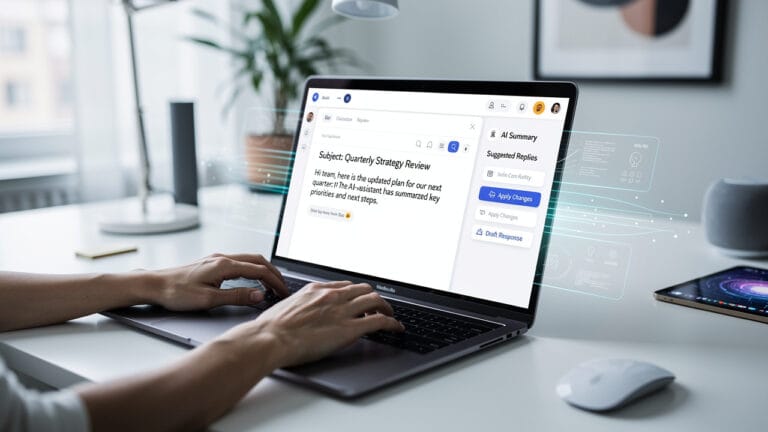
At the same time, Gmail for work is getting AI Overviews, a feature designed to answer natural-language questions by pulling together information from multiple emails and threads. In plain English, instead of digging through your inbox for a project update or invoice status, the system tries to answer the question for you.
Then there is Meet. As reported by The Verge, Google is also expanding AI note-taking to in-person meetings, not just virtual ones. Put those updates together, and the direction is obvious: workplace ai tools are moving from isolated features to a connected layer that watches, summarizes, and increasingly acts.
Key Details on AI Tools for Workplace Productivity
The most important change is not any single feature. It is the way these updates connect browser activity, inbox history, meetings, and cloud infrastructure into one workflow.
Chrome’s enterprise automation appears built around contextual awareness. The browser can look at what you are doing across live tabs and use Gemini to help complete web-based tasks. According to TechCrunch, Google’s examples include pulling information from a document into a CRM, checking vendor pricing across tabs, summarizing a candidate’s portfolio before an interview, and extracting details from a competitor’s product page. That is a meaningful jump from chatbot assistance to action-oriented software.
Why these workplace ai tools matter more than a chatbot
Most office work is not writing from scratch. It is switching contexts, copying information between systems, searching old messages, and preparing for meetings. These are exactly the repetitive movements that ai tools for workplace productivity now target.
Gmail AI Overviews pushes the same idea further. Rather than asking workers to search by keyword and open several emails, the system offers a short answer pulled from multiple conversations. For managers drowning in status updates, procurement teams checking approvals, or sales reps tracing a client request, this could save real time.
Meet’s upgraded note-taking adds another layer. Once AI can summarize remote and in-person conversations, one of the last pockets of undocumented office work starts to disappear. For employers, that means more searchable organizational memory. For workers, it means more of their contribution becomes machine-captured by default.
The hardware story behind ai tools for workplace
One detail many readers will miss is that this software push arrived alongside new AI hardware. Ars Technica reported that Google unveiled two new TPUs, the TPU 8t for training and TPU 8i for inference, a split designed for what the company calls the “agentic era.” That matters because workplace AI is only useful at scale if it is fast, cheap enough to run constantly, and reliable under enterprise load.
The hardware announcement is the tell. Google is not testing a novelty. It is building the back-end capacity for AI tools for the workplace that need to reason across huge volumes of documents, tabs, meetings, and enterprise apps in near real time.
What This Means for You as AI Tools for Workplace Expand
If you are an employee, these changes will likely feel helpful first and invasive later.
On the helpful side, the pitch is obvious. You spend less time hunting for missing context. You stop copying the same information from a doc into a CRM. You walk into meetings with summaries already prepared. Inboxes become more queryable. Browsers become more useful. In theory, that means less digital busywork.
For workers, convenience comes with surveillance risk
But convenience is not neutral. The more useful these ai tools for workplace become, the more they depend on seeing everything, your tabs, your messages, your meetings, your workflows. That can create a new layer of soft surveillance, even if the official purpose is productivity.
A human manager can only sample your output. An AI system embedded across Chrome, Gmail, and Meet can potentially map your work patterns in detail. Which vendors you compare. Which materials you review before interviews. Which conversations shaped a decision. Which tasks you delay. This is where “assistant” starts to blend into oversight.
That is also why the phrase ai tools workplace reputation penalty deserves attention. Companies that deploy aggressive workplace ai tools without clear boundaries may save time in the short term but damage trust with employees and candidates. Workers are getting better at spotting the difference between support software and monitoring software.
For employers, the appeal is brutal and practical
For companies, the value proposition is sharper. AI can reduce the cost of coordination, not just the cost of creation. That is a big deal. A lot of salaried work is really coordination overhead disguised as expertise.
When Chrome can help complete workflows, Gmail can answer inbox questions, and Meet can produce notes automatically, the business case becomes simple: fewer lost details, faster handoffs, tighter process compliance, and easier onboarding. This is one reason, as we argued in AI in Workplaces Is About to Change the Workweek, Not Just Your To-Do List, the next phase of office AI is likely to reshape time allocation more than it reshapes job titles at first.
Still, “human in the loop” language matters. Google says some of these workflows still require manual review. That is reassuring, but only up to a point. In enterprise software, optional review has a habit of becoming rubber-stamp review once people start trusting the system.
What Others Missed About Workplace AI Tools
Most coverage treats these launches as separate product updates. That misses the real story.
This is a land grab over the interface of knowledge work. For years, the browser, inbox, and calendar were neutral containers. Now they are becoming opinionated systems that recommend, summarize, and act. The company that owns that layer does not just sell software, it shapes how work gets interpreted.
The browser is becoming the office OS
Chrome is especially important here. If a browser can understand the live context of your tabs and help execute workflows, it starts to behave like an operating system for office labor. That gives Google a stronger position in the competition over ai tools for the workplace, because so much work already runs in web apps.
This also helps explain the chip story. You do not invest in specialized inference and training hardware for a feature demo. You do it when you believe constant AI mediation across enterprise work is going to become standard.
There is another hidden angle: normalization. Gmail AI Overviews will train workers to expect answers instead of search. Meet summaries will train teams to expect meetings to become records automatically. Chrome agents will train employees to expect software to complete workflows. Over time, that changes skill expectations. Judgment still matters, but raw information retrieval matters less.
That future is not evenly distributed. Senior workers with high-context responsibilities may benefit most. Junior workers often learn by doing the grunt work, searching threads, preparing notes, reconciling details. If AI removes that layer, companies may gain speed but lose part of the training ladder. We touched on that tension in AI in the Workplace Is Splitting Into Two Futures, and Most Employees Won’t Like Both, and these new releases fit that pattern perfectly.
Real Examples of AI Tools for Workplace in Daily Use
A recruiter opens a candidate’s site, portfolio, LinkedIn page, and internal notes across several tabs. Instead of manually piecing together a prep document, the browser summarizes the candidate and highlights gaps before the interview.
A sales rep asks Gmail for the latest status of a client renewal. Rather than opening 12 threads, the system produces a short answer pulled from prior emails, invoice discussions, and meeting follow-ups.
A procurement manager compares prices across vendor tabs while the browser helps structure the information for an internal system. That sounds mundane, but this kind of cross-tab comparison is exactly where office hours disappear.
An in-person leadership meeting ends, and AI-generated notes capture action items, key comments, and next steps without someone volunteering to be the scribe. Useful? Absolutely. Also a reminder that fewer parts of office life now escape being formalized.
Pros and Cons of AI Tools in the Workplace
Pros
- Cuts repetitive work across email, browser tabs, and meetings
- Speeds up information retrieval and task preparation
- Improves consistency in note-taking and workflow handoffs
- Makes enterprise knowledge more searchable and reusable
- Could meaningfully improve ai tools for workplace productivity
Cons
- Expands visibility into employee behavior and habits
- Encourages overreliance on machine summaries
- Risks flattening nuance in email threads and meetings
- May weaken skill development for junior staff
- Creates trust problems if employers blur support and monitoring
Conclusion on AI Tools for Workplace
The newest ai tools for workplace are not just smarter assistants. They are the early version of software that sits inside the flow of work and starts deciding what matters, what gets captured, and what gets done next.
That can make offices faster. It can also make workers more legible, more standardized, and easier to measure. Those two outcomes are not separate, they are the same product.
What Happens Next (2026-2030)
Between now and 2030, the winners will be the companies that embed AI into everyday workflows without making employees feel watched every minute. The losers will be firms that treat workplace ai tools as silent productivity policing, because that backlash will show up in retention, hiring, and internal trust. Expect Gemini and rival systems to become default layers inside browsers, mail, docs, and meeting software, not optional add-ons. The practical result is that more white-collar work will be pre-processed by AI before a human even sees it. The real fight will not be over whether to use ai tools for workplace, it will be over who gets to define the rules they operate by.
Sources
About the Author